



- New
Excellent on Trustpilot★

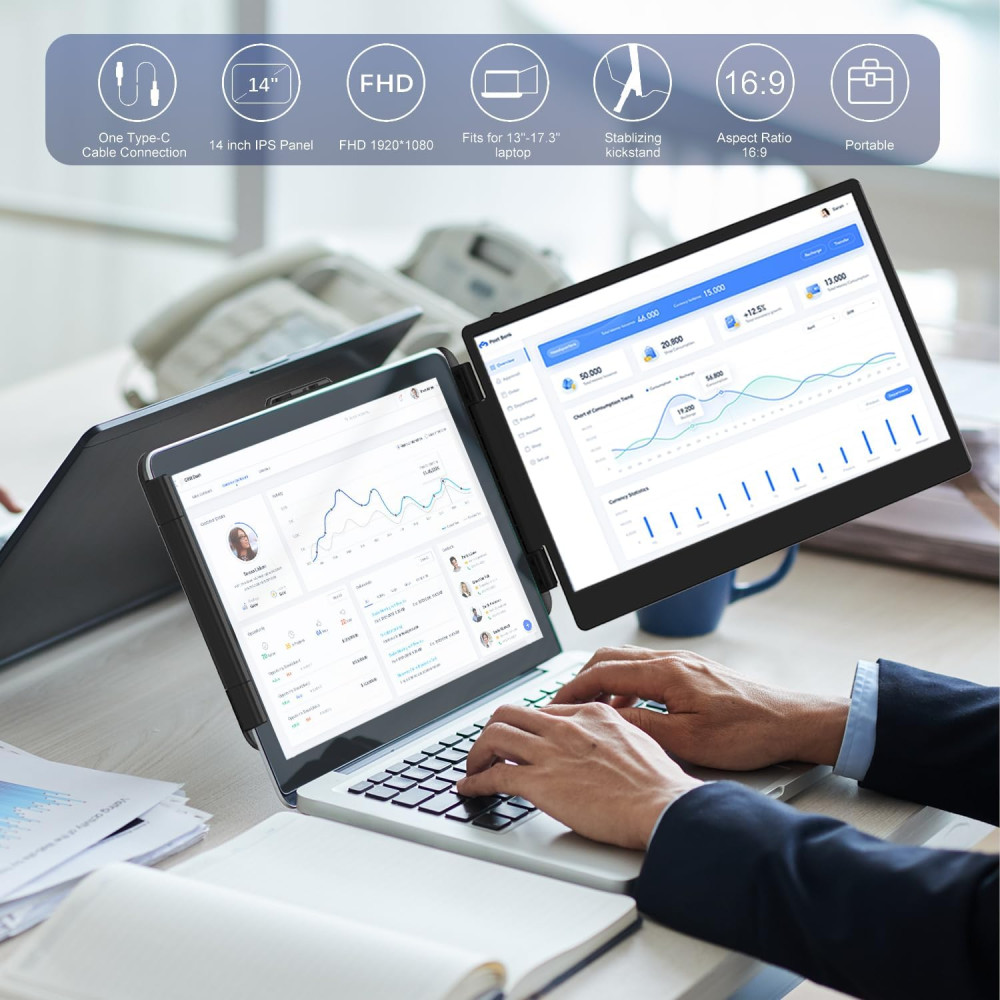
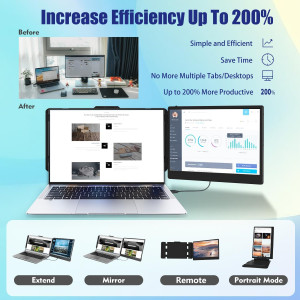
Enhance your workflow with the KEFEYA 14" Full HD Portable Monitor, designed to increase efficiency by up to 200%. Whether you're a remote worker, gamer, or professional, open multiple windows simultaneously without toggling screens, making multitasking seamless.
Enjoy stunning visuals on a 1920x1080 IPS panel, featuring 300 nit brightness, 72% NTSC color gamut, and 60Hz refresh rate for vibrant, eye-friendly viewing. Customize brightness, contrast, and backlight to reduce eye strain and fatigue.
Experience effortless plug-and-play connectivity with included Type-C, HDMI, and USB cables—no drivers needed. The monitor supports multiple display modes including mirror and extension, plus 180° rotation for versatile viewing angles.
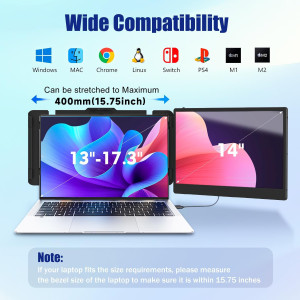
Compatible with a wide array of devices—Windows, Mac, Linux, Android, and major gaming consoles like PS4, Xbox, and Switch. With responsive customer service, KEFEYA ensures you stay connected and productive wherever you go.
✨Free delivery✨
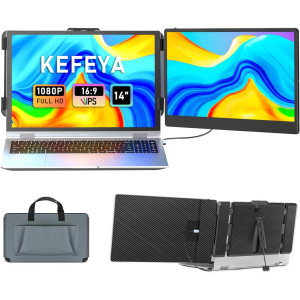
Enhance your productivity and experience immersive visuals with the KEFEYA 14" Portable Monitor. Designed to extend or mirror your laptop screen effortlessly, it offers seamless multitasking and brilliant display performance in a sleek, foldable form factor. Compatible with multiple operating systems and devices, it's the perfect companion for work, travel, and entertainment.
 Discover why the KEFEYA S1 14" Portable Monitor stands out as the ultimate laptop screen extender. Boost your workflow efficiency by up to 200% by effortlessly managing multiple tasks across dual screens without switching windows. Its one-cable USB-C connection simplifies setup, while the vivid full HD display delivers crisp and vibrant visuals.
 Experience the convenience of a portable dual screen setup ideal for professionals and remote workers. This lightweight monitor attaches easily to laptops ranging from 13" to 17", providing a wide 178° IPS viewing angle, high brightness, and rich color accuracy for immersive, productive use wherever you go.
 Compact and foldable, this travel-friendly portable monitor is perfect for creating a full workstation on the move. Its sleek design and compatibility with various devices make it an essential tool for digital nomads, remote workers, and frequent travelers who need a reliable second screen on the go.
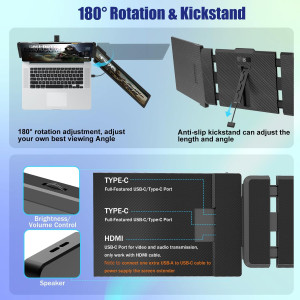
The KEFEYA monitor offers 180° rotation for customizable viewing angles, ensuring comfort during every use. Its adjustable kickstand features an anti-slip bottom for stability, allowing you to position the screen perfectly on any surface.

Quickly align and attach the monitor to your laptop with an intuitive dual installation method. Its user-friendly design ensures a secure fit without tools, making setup hassle-free and immediate.

Easily control brightness by swiping left and volume by swiping right, then sliding your finger to adjust precisely. This feature allows quick, intuitive customization for optimal viewing and sound in any environment.

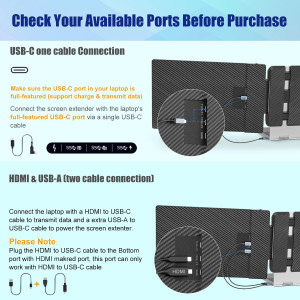
USB-C to USB-C one cable connection:
HDMI to USB-C & USB-A to USB-C 2 cables connection:
 A versatile portable monitor that not only extends your laptop’s screen real estate but enhances your workspace. Its sleek design is complemented by advanced display features ensuring vibrant visuals, making it an essential accessory for work and entertainment anywhere.
Q: Screen Display "No Signal"
Q: Screen Flickers & Black Screen
Q: The screen not light up after connecting?
Specific References

I’ll admit, I wasn’t sure if a portable monitor could really boost my productivity or be as simple to use as advertised. But after testing the KEFEYA 14" with my laptop and gaming console, it genuinely surprised me—setup was almost instant and the screen quality is fantastic. No extra drivers, and it worked with every device I threw at it. Now, I can’t imagine getting through my workday (or winding down gaming) without it.
Enhance your workflow with the KEFEYA 14" Full HD Portable Monitor, designed to increase efficiency by up to 200%. Whether you're a remote worker, gamer, or professional, open multiple windows simultaneously without toggling screens, making multitasking seamless.
Enjoy stunning visuals on a 1920x1080 IPS panel, featuring 300 nit brightness, 72% NTSC color gamut, and 60Hz refresh rate for vibrant, eye-friendly viewing. Customize brightness, contrast, and backlight to reduce eye strain and fatigue.
Experience effortless plug-and-play connectivity with included Type-C, HDMI, and USB cables—no drivers needed. The monitor supports multiple display modes including mirror and extension, plus 180° rotation for versatile viewing angles.
Compatible with a wide array of devices—Windows, Mac, Linux, Android, and major gaming consoles like PS4, Xbox, and Switch. With responsive customer service, KEFEYA ensures you stay connected and productive wherever you go.
✨Free delivery✨
My WFH Game-Changer (and Lifesaver on the Go!)
I never thought I'd actually need a second screen—until juggling Zoom calls and spreadsheets drove me mad. This KEFEYA monitor fits perfectly in my backpack and sets up in seconds, so I can escape my cluttered desk and work from a coffee shop or my patio without missing a beat. The best part? No tech headaches—just plug it in and you're good to go.