


- New


Your feedback matters. This will take less than one minute.

✨Free delivery✨
Experience seamless and versatile presentation control with this advanced Presentation Clicker supporting both Bluetooth and RF 2.4GHz dual modes. Designed for flawless PowerPoint slide navigation, it features a red laser pointer and wireless functionality to enhance your presenting experience. Easily compatible with Mac computers and powered by AAA batteries, this remote combines convenience with professional-grade precision.

Sleek and modern design showcasing the Presentation Clicker in full view, highlighting its ergonomic shape and intuitive button layout. Perfectly sized for comfortable handheld use during any presentation setting.

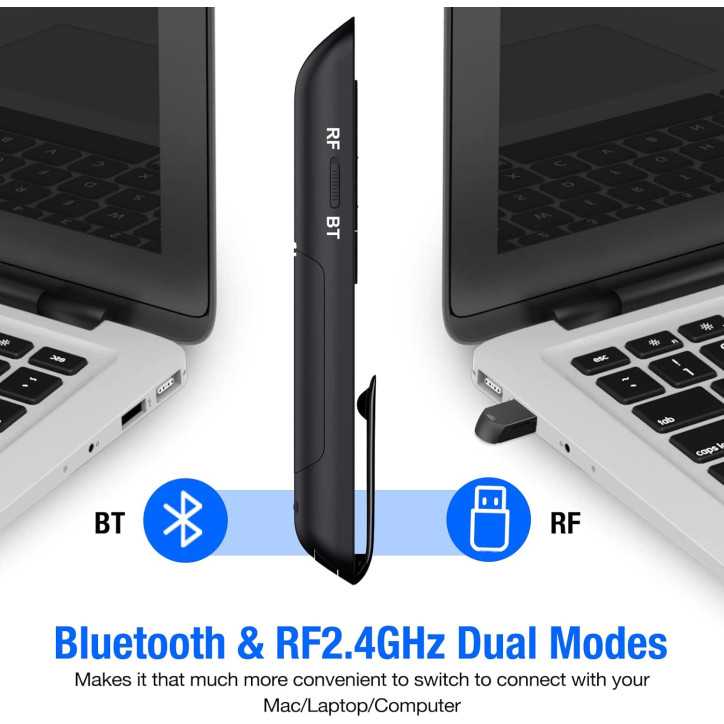
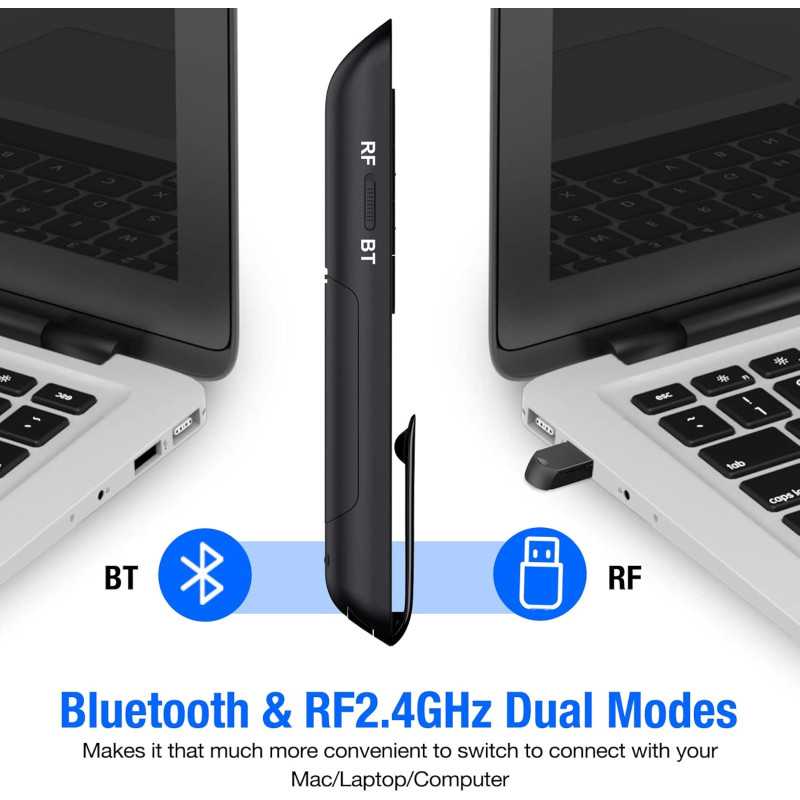
Illustrates the cutting-edge dual-mode wireless technology combining Bluetooth and RF 2.4GHz connectivity. Enables smooth, uninterrupted control over your presentation from any compatible device with extended range capabilities.

Demonstrates the precise red laser pointer feature designed for clear highlighting of key points on your slides. Improves audience engagement by directing focus exactly where needed during any presentation.

Highlights compatibility with Mac computers and PowerPoint, ensuring effortless integration with your existing presentation setups. The remote’s intuitive controls provide a smooth and professional experience.

Displays the convenient AAA battery-powered design, providing long-lasting power for extended presentations. Easily replaceable batteries ensure you're always ready to deliver with confidence and no interruptions.
| Features |  Presentation Clicker Presentation Clicker |
 Presentation Clicker Presentation Clicker |
 Presentation Clicker Presentation Clicker |
 Presentation Clicker Presentation Clicker |
 Presentation Clicker Presentation Clicker |
 Presentation Clicker Presentation Clicker |
 Presentation Clicker Presentation Clicker |
|---|---|---|---|---|---|---|---|
| Customer Reviews | 4.2 out of 5 stars (3 reviews) | 4.4 out of 5 stars (66 reviews) | 4.2 out of 5 stars (49 reviews) | 4.7 out of 5 stars (24 reviews) | 1.0 out of 5 stars (1 review) | — | — |
| On TV | ✔ | ✘ | ✘ | ✘ | ✘ | ✘ | ✘ |
| Wireless | ✘ | ✘ | ✔ | ✘ | ✘ | ✘ | ✘ |
| Rechargeable | ✘ | ✔ | ✔ | ✔ | ✔ | ✘ | ✔ |
| Air Mouse | ✘ | ✘ | ✘ | ✔ | ✘ | ✘ | ✘ |
| Maximum Range | 656FT | 656FT | 330FT | 656FT | 656FT | 656FT | 656FT |
| USB Receiver | 2IN1 USB and Type C | 2IN1 USB and Type C | USB | 2IN1 USB and Type C | 2IN1 USB and Type C | 2IN1 USB and Type C | 2IN1 USB and Type C |
Specific References
More Reliable Control and Range Than My Old USB-Only Clicker
I upgraded from a basic 2.4GHz USB-only presentation clicker, and the biggest changes I notice day-to-day are the dual Bluetooth/USB modes and the much longer laser range. Not having to rely on a USB-A port (especially on my USB-C MacBook) and being able to roam farther in larger classrooms actually makes my sessions smoother, though the extra window-switching and hyperlink controls are nice-to-have rather than game-changing for me.
Finally a Clicker That Works With All My Laptops
When I first unboxed this remote, it felt surprisingly solid and more like a good pen than a piece of cheap plastic. The matte finish and the firm, clicky buttons stood out right away, and the pen clip actually makes it easy to keep in my shirt pocket between sessions. In daily use, the dual Bluetooth and 2.4GHz options have been a game changer—on my USB-C MacBook I connect via Bluetooth, and on older classroom PCs I just plug in the tiny USB receiver that tucks neatly into the base. The laser is bright enough to see clearly even in a well-lit lecture hall, and I’ve been able to move freely around large rooms without losing connection while flipping slides, muting/unmuting audio, and quickly blacking out the screen for discussion.
Thought It Was Another Gimmicky Clicker – It Proved Me Wrong
I hesitated to buy this because most presentation remotes I’ve tried either dropped connection at the worst time or didn’t play nicely with my MacBook’s USB‑C ports. I almost skipped it assuming the dual Bluetooth/RF thing was just marketing fluff. The turning point was walking across a large lecture hall, flipping slides flawlessly over Bluetooth while the red laser stayed bright and precise even from the back row. Being able to quickly switch to the RF receiver on a conference room PC and still control volume, black screen, and hyperlinks without fiddling with settings convinced me this wasn’t just another cheap clicker but a reliable everyday tool.
✨Free delivery✨