


- New


Your feedback matters. This will take less than one minute.

✨Free delivery✨
Experience the cutting-edge myCobot 280 robotic arm, designed for versatile educational, research, and commercial applications. Integrating open-source software and flexible programming, this collaborative robot empowers users to explore robotics with advanced control, AI integration, and ROS support.

PRODUCT PARAMETERS AND FUNCTIONS: The full driving control interfaces are fully accessible, supporting diverse applications like scientific research and education. This feature set advances your projects with flexible and open hardware integration.

FULLY-OPEN SOFTWARE CONTROL INTERFACES: Access a broad range of control interfaces tailored for AI applications such as item sorting, face recognition, and image processing. This empowers developers to customize functionality for innovative robotic solutions.

EXPERIMENTAL EDUCATION AND RESEARCH: Discover the portable and versatile myCobot 280 series robotic arms, engineered to support education, research, and commercial deployments, offering an ideal platform for hands-on learning and experimental applications.

CREATIVE DEVELOPMENT: Equipped with multiple control methods, the myCobot robot arm is suitable for all ages, enabling users to explore robotics creatively and intuitively, fostering innovation across skill levels.

MINI ROBOFLOW: This robotic arm features built-in drag & teach functionality, coordinate calibration, and firmware inquiry. Start programming instantly without requiring a PC, ideal for hands-on robotics learning.

MY BLOCKLY: Utilize block-based visual programming languages supported by accessible official tutorials. This platform helps you learn robotics programming quickly and effectively with easy-to-understand coding blocks.

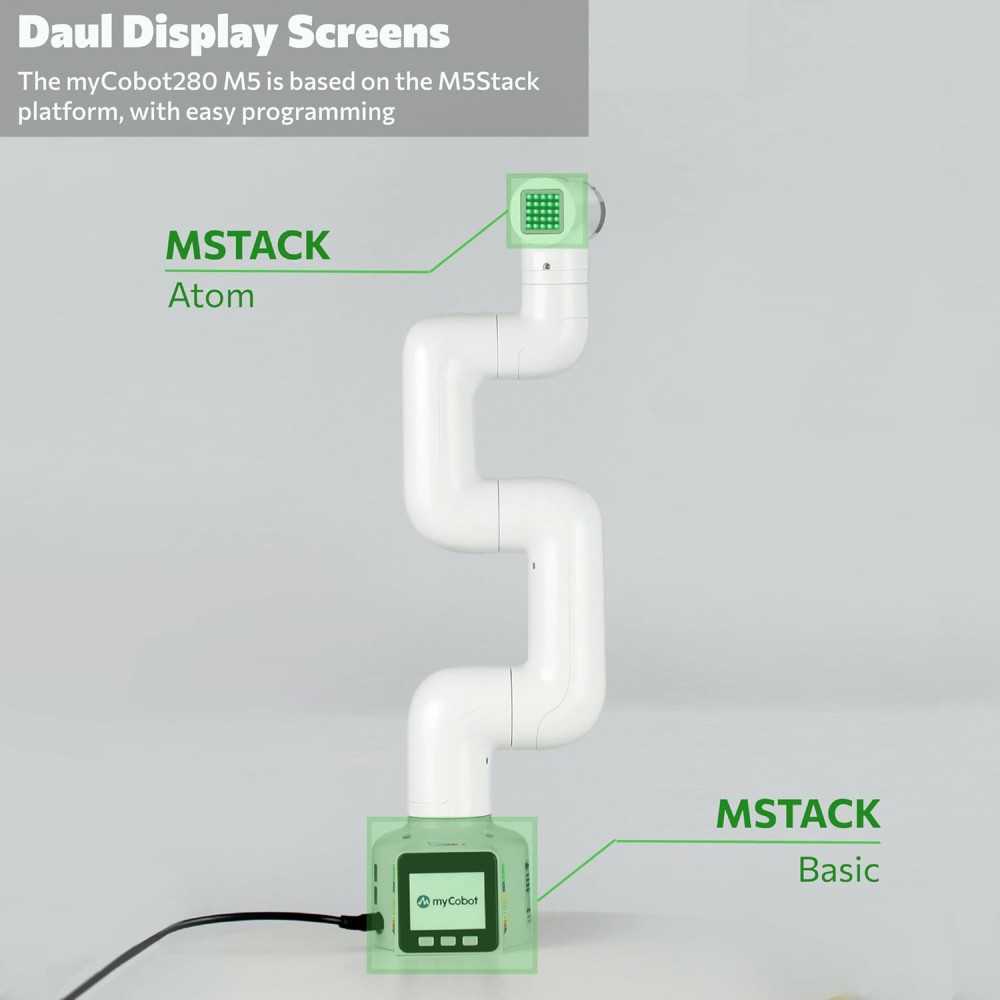
UIFLOW: Experience seamless coordination between the MyCobot collaborative robot and the M5Stack platform, leveraging the expansive M5Stack ecosystem to streamline AI and robotics application development.

NOVELTY INTELLIGENT CURRICULUM: Built on myBlockly and Python, myCobot opens new pathways in Artificial Intelligence and robotics education, enriching your knowledge and skills for long-term innovation.

LEGO & M5Stack Ecosystem: The myCobot platform is built on M5Stack technology, featuring easy programming and an abundance of online resources. LEGO-compatible holes on both the base and arm's end provide a versatile foundation for customized micro-device development.

FLEXIBLE & INTELLIGENT: myCobot allows highly flexible motion control with AI-enhanced capabilities to smoothly adjust movements and speeds, offering intelligent operation tailored to your specific applications.

ROS SUPPORTING: Developed to integrate with ROS, the leading robot OS framework. This enables controlling myCobot and running algorithm tests in virtual environments, reducing physical experiment requirements and boosting productivity.

RICH ACCESSORIES: Comes with a wide range of accessories including adaptive grippers, camera mounts, and suction pumps. These add-ons empower users to explore and implement numerous creative robotic solutions with myCobot.
| Specification | myCobot 280 M5 |
myCobot 280 Pi |
mechArm 270 M5 |
mechArm 270 Pi |
|---|---|---|---|---|
| Customer Reviews | 2.8 out of 5 stars (3 reviews) | 1.0 out of 5 stars (2 reviews) | — | — |
| Price | $688.00 | $918.00 | $768.00 | $918.00 |
| Controller | M5Stack | Raspberry Pi 4B | M5Stack | Raspberry Pi 4B |
| DOF (Degrees of Freedom) | 6 | 6 | 6 | 6 |
| Payload | 250g | 250g | 250g | 250g |
| Repeatability | ±0.5mm | ±0.5mm | ±0.5mm | ±0.5mm |
| Weight | 800g | 860g | 850g | 1kg |
| Working Radius | 280mm | 280mm | 270mm | 270mm |
| Power Input | 12V / 5A | 12V / 5A | 8-12V / 5A | 8-12V / 5A |
Specific References
Hands-On Robotics Fun for My STEM Lessons
Setting up myCobot in my classroom was honestly exciting—students were immediately curious to try programming it with Blockly. I really like the dual screens and how easily it connects to joysticks and tablets. The precise motion and fun visual interface make this a standout, but I recommend carefully following the instructions if you’re new to robotics.
An Ingenious Robotic Arm for Creative Learning and Development
The moment I opened the myCobot package, I was struck by how compact and polished the design felt—everything slotted neatly, with the dual screens and modular pieces inviting immediate hands-on exploration. Getting started with Blockly programming through the UIFlow interface was refreshingly intuitive, instantly allowing me to control precise, fluid movements thanks to the high-torque servo motors. My favorite feature is the drag trial teaching: it lets me physically guide the arm through new actions, recording them seamlessly for playback—perfect for building custom automation routines and teaching robotics principles to students with little coding experience.
A Compact Robotic Powerhouse for Learning and Beyond
Upon unboxing myCobot, I was struck by its surprisingly sturdy feel and sleek, modular design—far more professional than typical entry-level kits. The ease of getting started with visual Blockly programming made my first robotics experiment both approachable and engaging, lowering the barrier for hands-on learning. The adaptive grippers and impressive 0.05mm repeatability meant I could quickly prototype real-life automation tasks, experiencing reliable, precise movements typically reserved for far more expensive systems.
✨Free delivery✨